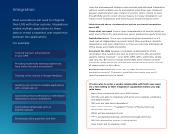
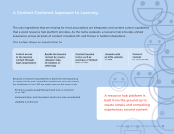
Integration Learning management systems now provide sophisticated integration options, which enables you to accomplish more than ever. However, greater sophistication also means it’s all the more critical to plan thoughtfully and to cover all your bases. A messy integration can create more headaches and extend your implementation time. Think through these considerations before you begin integrating your LMS: Know what you need Have a clear understanding of exactly what you want your LMS to do, and what your users’ experience needs to be like. Stakeholder buy-in Once you understand what integrations you’ll need, get all stakeholders involved. Solicit their questions, insights, suggestions, and even objections, so that you can fully anticipate all of the issues you might encounter. Document the data Develop a complete understanding of the information that needs to be sent to and from the LMS, and which systems will be involved — your AMS, CRM, APIs, webhooks, single sign-ons, etc. Be sure to include all the data you’ll need to answer questions, make decisions, and achieve organizational goals. Involve all stakeholders in this effort. Reporting decisions Will your LMS or AMS be responsible for generating reports? Compare capabilities and make sure you’ll have the required level of detail. It’s also wise to enter a vendor relationship with both eyes open. Do a full vetting of their integration capabilities before you sign with them. • Have they integrated with your AMS before? • Will they be able to integrate with all of your systems, platforms, and applications? • Will you get real-time integration? • Who will handle the integration? Some LMS providers use third-party services. • What will be required of you? • What will testing look like, and how thorough will it be? • Will the integration require customization? • How much will integration cost? Most associations will need to integrate their LMS with other systems. Integrations enable multiple applications to share data or create a seamless user experience between two applications. For example: Tracking learners’ achievements in your AMS Providing multimedia learning experiences from within the same environment Tracking online activity in Google Analytics Granting user access to multiple applications with a single sign-on Automating email notifications or web-based responses to course completions Automating menial tasks such as bulk file uploads Processing online payments and fees
Downloaded from Tizra Support Resource Hub (support.tizra.com) by unknown.