Quick Tips > Designing Content Listings with Evergreen Browse Blocks
Designing Content Listings with Evergreen Browse Blocks
This video provides a quick overview of the design options available in the current version of the Tizra Evergreen Browse block. Further details are outlined below.
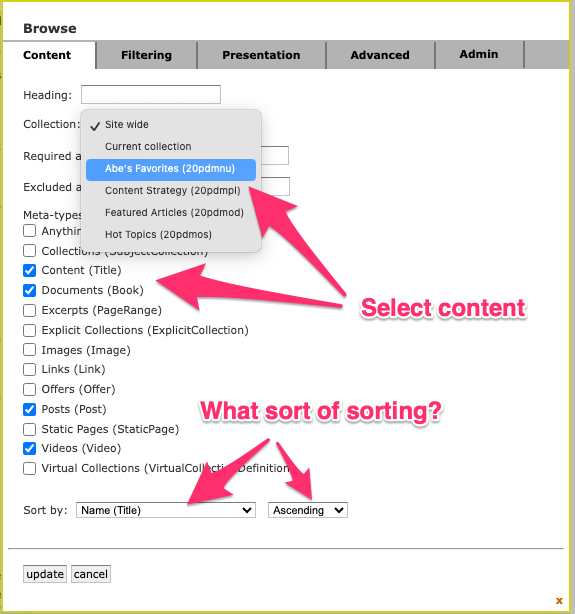
Selecting and sorting
On the Content tab of the Browse block, you can choose what content you'd like to display by selecting collections, tags, content types or all of the above. Sorting can be on any appropriately formatted metadata field you have set up in your site, and can be ascending or descending.
Setting filters
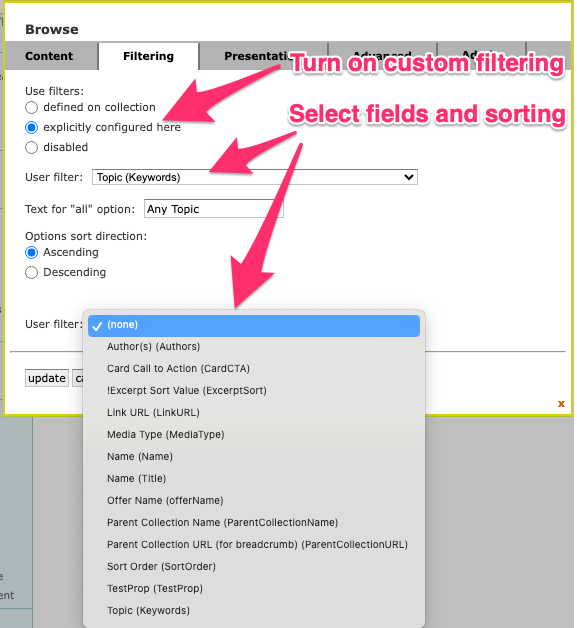
You can empower your users to select personalized views of your content by creating dropdown filters that quickly narrow what shows on the page. Just go to the Filtering tab and set options as shown below.
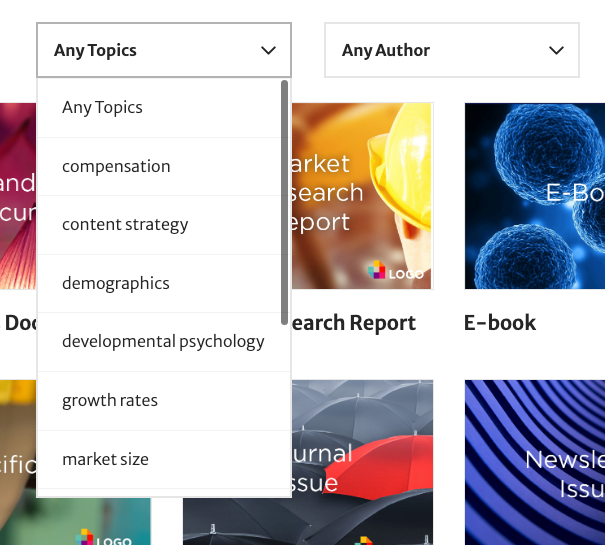
Below is an example of how the filters look to end users. Note that they're carefully designed so that each filter setting has its own URL (and can be tracked in analytics) and so that options that will display empty results are not displayed.
Managing layout and look
This is your content and this is your showcase, so you should be able to decide on the design that looks and works best.
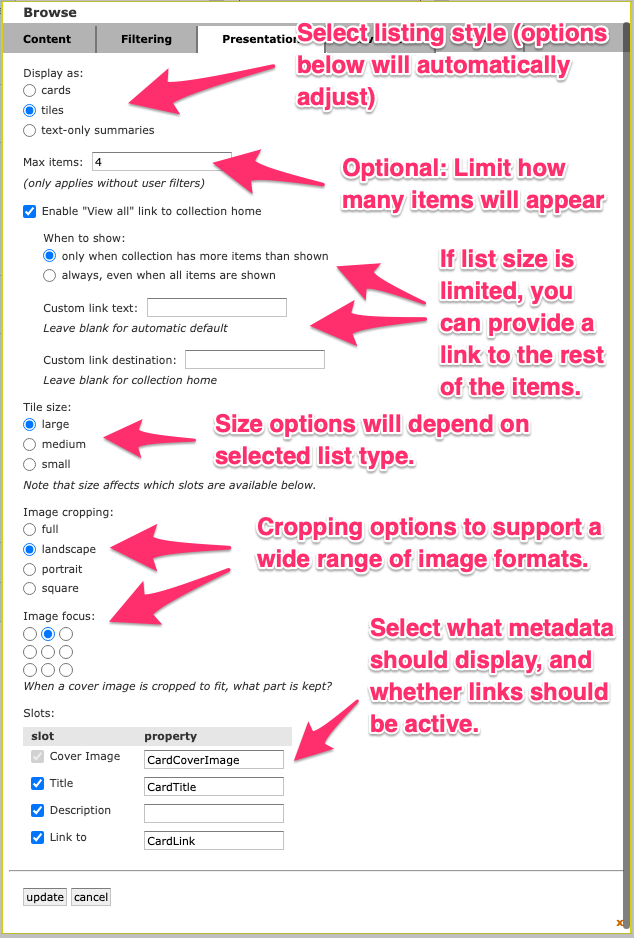
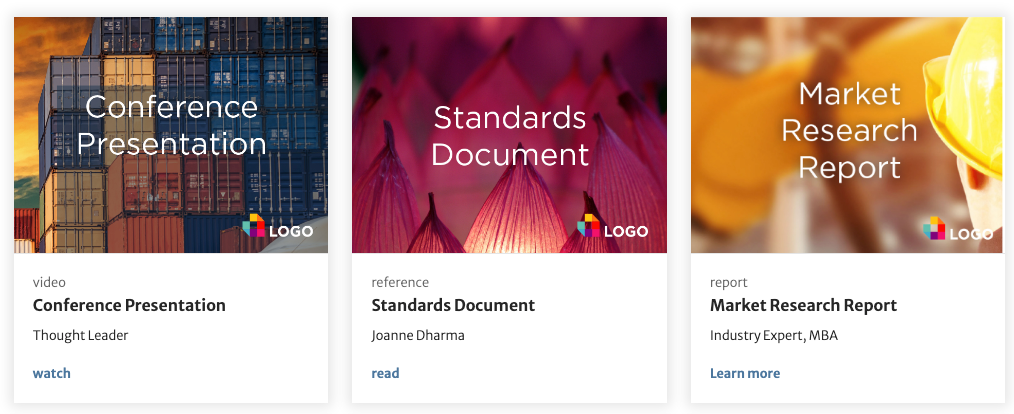
Below are examples showing how some of the options will look to end users.
Small tiles

Large tiles

Cards
Text only

Combined on a live customer site
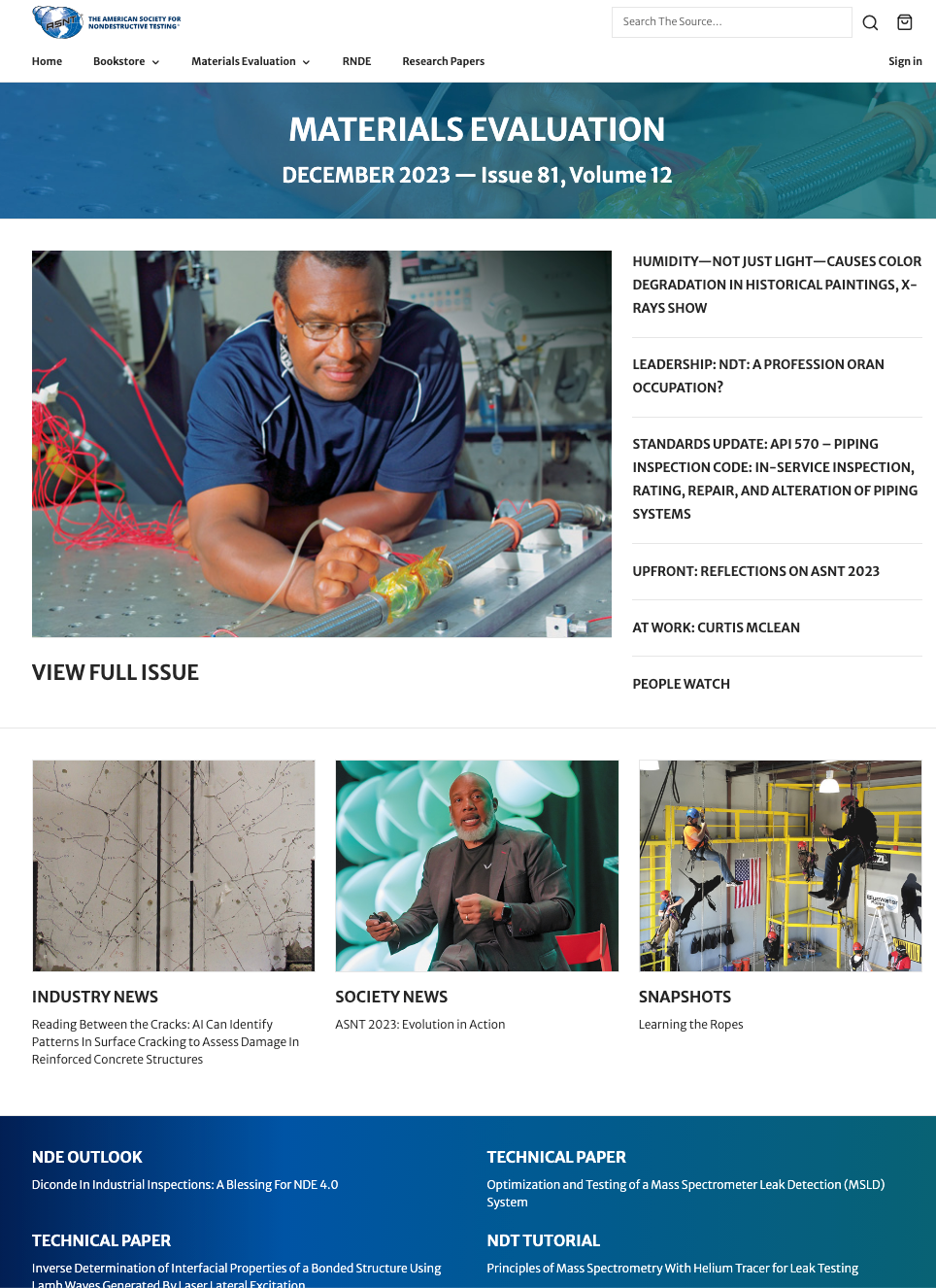
Check out how the American Society for Nondestructive testing pulled the different styles together to create a high-impact landing page for its journal Materials Evaluation.