Reporting
Engagement
Tizra
Content Strategy
New Release
Analytics
As an association leader, you invest significantly in high-value content that furthers your mission and educates your membership. And if you're anything like us here at Tizra, you polish that beautiful content, launch it, and eagerly anticipate feedback from your audience.
But what if that feedback doesn't arrive? Or more likely, what if that feedback is so complex it’s impossible to act on?
That's why we decided to start our next-generation reporting project by focusing on the absolutely “must-know” data—the vital signs that tell you which content is driving the highest levels of engagement and which users are most engaged.
In a recent article for Tizra, engagement specialist and Tizra Content Council speaker Mark Ruthman discusses the value of reader engagement data—the clicks, search terms, read time, and more—surfaced when users interact with your valuable content.
Engagement data tells the story of how your members interact with your content. When a member downloads a best practices guide, reads through a certification module, or accesses specific resource pages, they're leaving digital footprints that signal their interests and needs. This data is feedback, and understanding how to access, interpret, and measure it is a significant component of a successful content strategy.
To help you make sense of all of that feedback-rich data, we're thrilled to announce the launch of enhanced Site Activity Reporting capabilities! Now, our valued Tizra customers can quickly access clear and actionable data that captures how members interact with their content.
While simple, this kind of engagement data reflects your users’ genuine interest in the content you provide and helps you answer critical questions about your content strategy:
Armed with this insight, you can make informed decisions about:
Best of all, because the new reporting tools are an integral part of the Tizra Admin panel, they’re right alongside the tools you’ll use to act on this newfound insight. Read on for details. We’re excited to hear what you think, and to keep building on this new foundation.
The Activity by Item report answers what is probably the biggest question for most content providers: Which content is getting the most traffic? It does this by tracking…:
The result is a simple ranking of content items, with those generating the most engagement at the top. Want to track how members engage with specific content, like your latest technical standard or salary survey? The Activity by Item report lets you view access data alongside relevant properties, enabling more insight into which content pieces receive meaningful engagement. You can customize your reports with additional columns for metadata properties that matter to your organization (using the "List of item custom fields to add to log messages" property in SETTINGS > Advanced Site Properties).
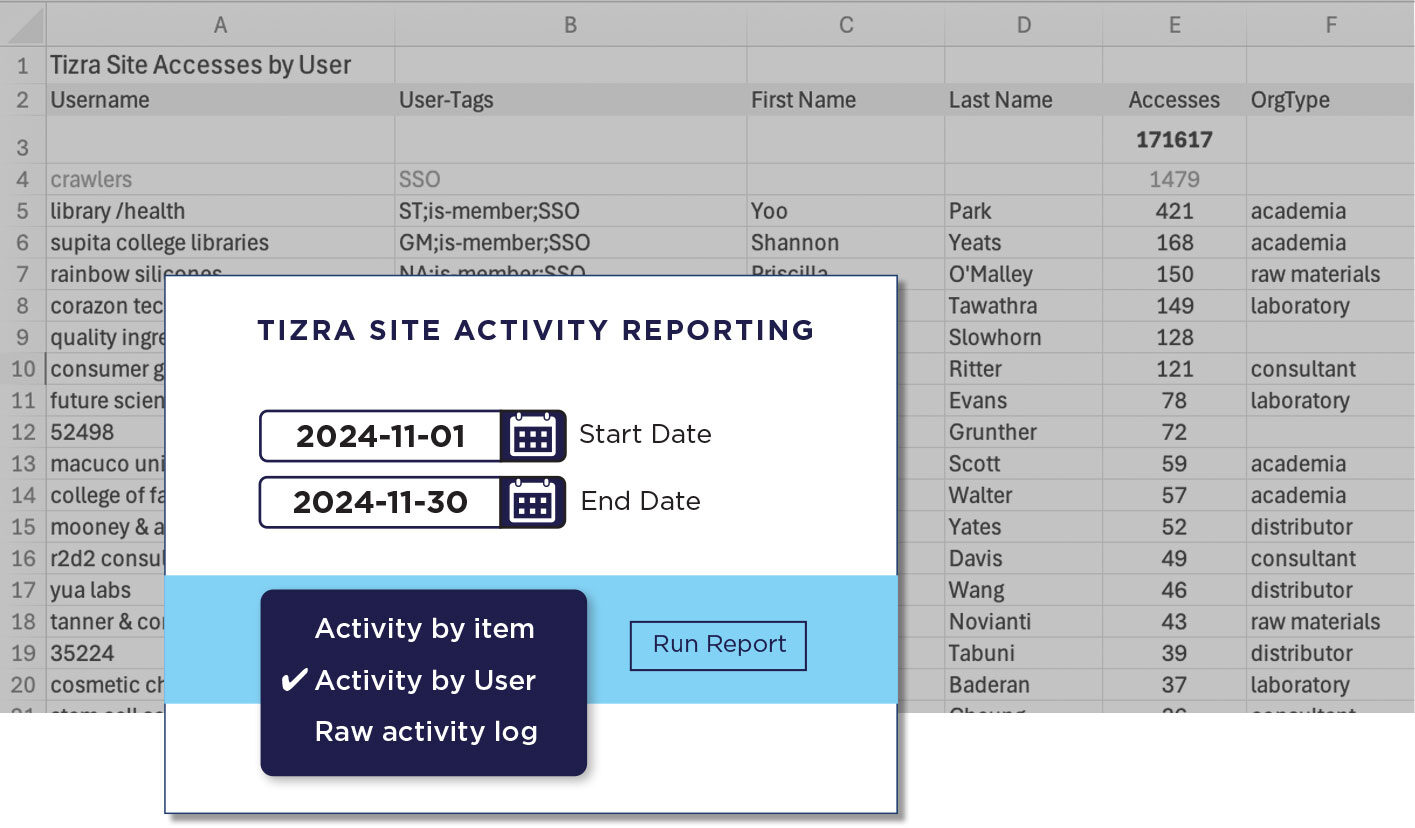
The Activity by User report answers the other big question: Which of my users are most engaged with my content? Similar to the Activity by Item report, it provides a simple ranking, but in this case, it’s individual users, including whatever information about each user has been entered in Tizra. This varies by configuration, but typically will include name, email address and any tags that have been applied.
For deeper analysis needs, the new Raw Activity Log provides comprehensive data including:
Want to analyze detailed patterns in how members discover and use your content? The Raw Activity Log’s records can show exactly how members move through your site - from search results to content detail pages to reader views - along with comprehensive user and content property data for deep analysis.
Accessing these new capabilities is straightforward:
Navigate to the main REPORTING tab in your Tizra dashboard
Select Tizra Site Activity Reporting
Choose from:
We've prepared a short demonstration video to walk you through accessing and using these new reports effectively.
Here’s a cheat sheet explaining some of the values you’re likely to see in the view-id column of the Raw Activity Log:
Ready to explore your member engagement data? Here's how to begin:
Questions about customizing reports for your specific needs? Our team is ready to help you get the most value from these new capabilities.